Running a darts tournament at your pub or venue doesn't need to be complicated. But without the right setup, it usually turns into a mess of paper brackets, arguments over who plays next, and boards sitting idle. This guide walks you through everything — from deciding your format to keeping the crowd watching live standings as the night unfolds.
Step 1: Decide Your Format
The most important decision you'll make is the tournament format. Your options break down into two main types:
Group Stage + Knockout
Best for 12 or more players. Split players into groups of 3–4, with everyone playing everyone in their group. The top 1 or 2 from each group advance to a knockout bracket. This format gives everyone more games, reduces the risk of early exits for good players, and is far more entertaining for spectators.
Single Elimination Knockout
Best for smaller events or when time is limited. Players are seeded into a bracket and the loser goes home. Works well for 8 or 16 players. Fast, but unforgiving — one bad leg and you're out.
Round Robin
Every player plays every other player. Works well for very small groups (4–6 players) and produces a clear ranked result. Gets slow quickly with larger numbers.
Step 2: Set Your Game Format
The most common choice for pub tournaments is 501, best of 3 legs. It's fast enough to keep the night moving, long enough to feel meaningful, and familiar to almost every player. For a final, consider bumping up to best of 5 — it adds weight to the occasion and gives the crowd more to watch.
Decide in advance:
- Starting score (501 is standard — 301 for shorter matches)
- Number of legs per match
- Double-in requirement? Most pub formats skip it — double-out only
- Bust rules (bust = no score, return to previous total)
Step 3: Set Up Your Boards
Most venues run one or two boards. Here's a rough guide to capacity:
- 1 board: Up to 12 players comfortably in an evening
- 2 boards: 16–24 players, keeping the night moving without long waits
- 3+ boards: 32 players or more — you'll need a proper darts tournament app to manage board allocation
With Bull Up's Venue plan, you can assign specific matches to specific boards and see at a glance which boards are active, which are waiting, and which are free.
Step 4: Register Players and Seed the Draw
Collect player names before the night starts — or at the door. Decide whether you want a random draw or a seeded draw (where stronger players are kept apart in the bracket until later rounds).
For a pub night, random draws are usually fine and add to the fun. For a more competitive club event, seeding the top 4–8 players avoids the scenario where the two best players meet in round one.
Step 5: Assign a Scorer for Each Board
Even with a darts tournament app handling the maths, someone needs to enter scores. You have two options:
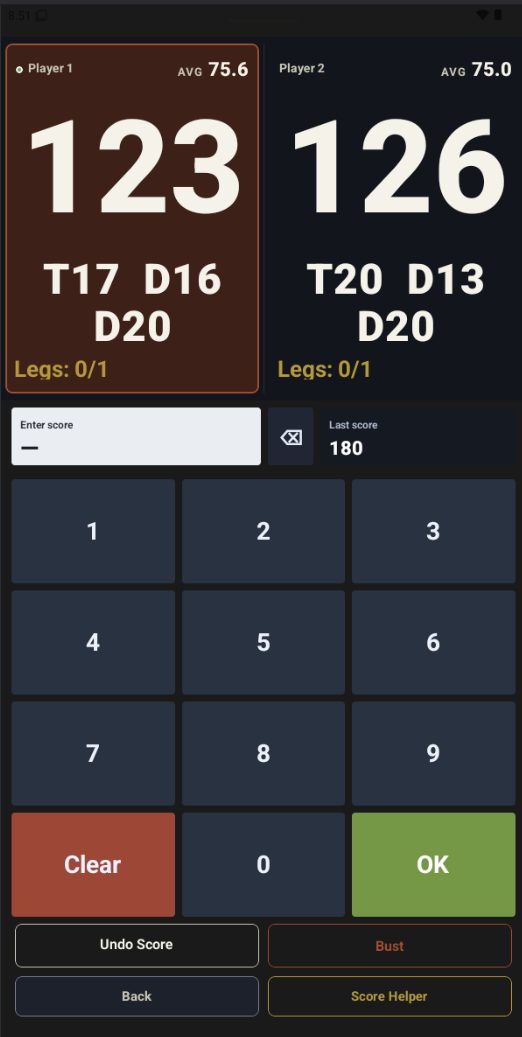
- Self-scoring: Players enter their own scores on a shared device at the board. Works well for casual nights.
- Dedicated scorer: One person per board enters scores. More accurate and faster for competitive events.
With Bull Up, scores update live across the tournament as they're entered — so standings, brackets, and next fixtures update automatically without anyone needing to manually update a whiteboard.
Step 6: Display Live Standings
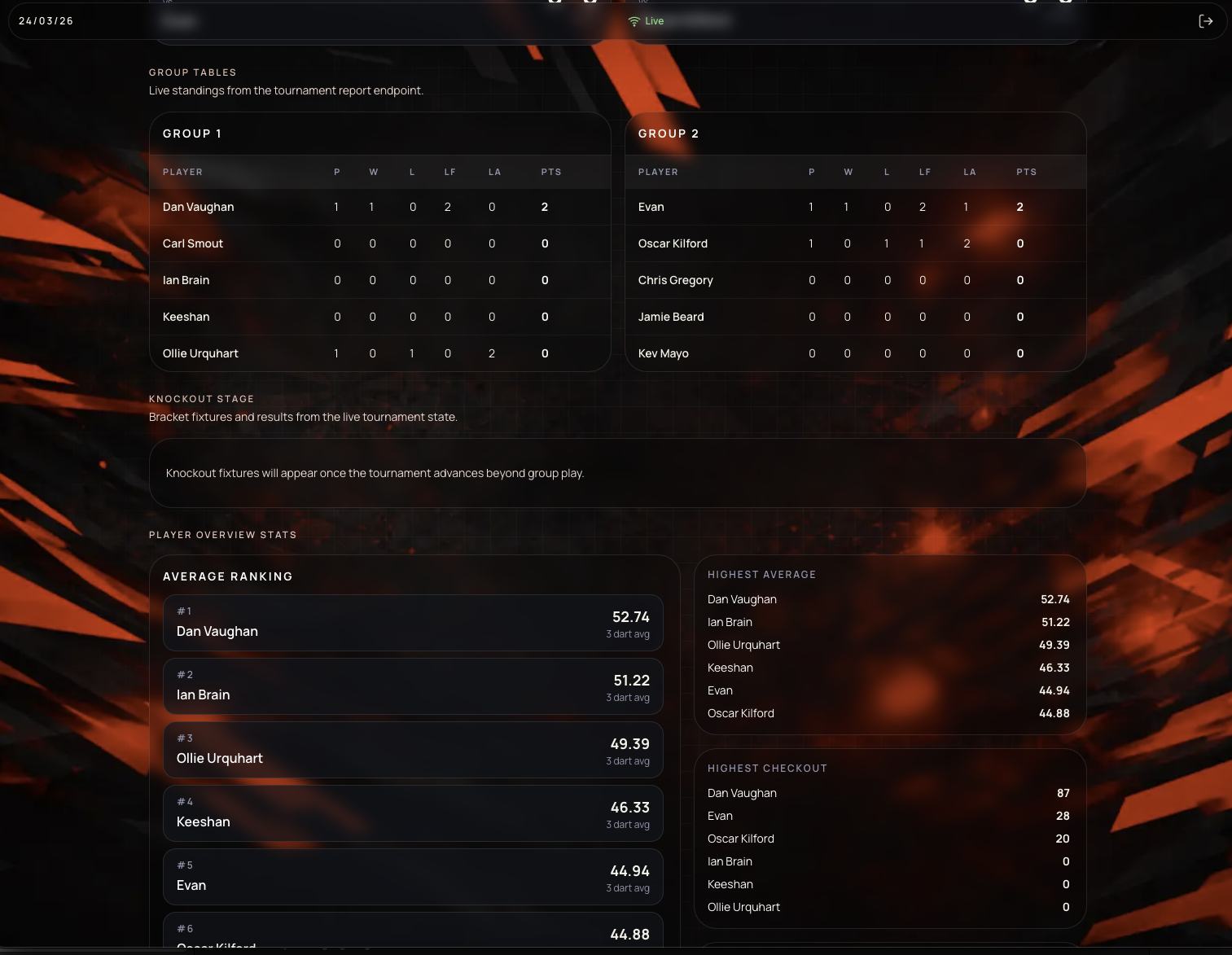
One of the things that turns a darts night from a casual knockabout into an actual event is visible live standings. When players — and the rest of the pub — can see the bracket updating in real time, the atmosphere changes completely.
Bull Up's venue display mode lets you put live standings on any screen — a TV behind the bar, a tablet on the wall, or a laptop on the bar. No special hardware needed. The display updates automatically as scores come in.
Step 7: Keep the Night Running Smoothly
A few things that make a big difference:
- Announce the next match before the current one finishes. Dead time between matches kills momentum.
- Have a clear ruling on bust and bounce-outs. Announce the rules before you start — not mid-match.
- Keep a time limit per match if you're running a tight schedule. Best of 3 in 501 should take 15–20 minutes.
- Give the crowd something to follow. Even a simple leaderboard showing who's through and who's next makes people pay attention.
The Format That Works for Most Pub Nights
If you want a reliable default that works for almost any pub darts night:
- 16 players (or 12, or 8 — adjust as needed)
- Groups of 4, top 2 advance
- 501, best of 3 in groups, best of 5 in knockout
- Double-out only, no double-in
- Random draw, announced at the start
- Scores on Bull Up, standings on the bar TV
Run your next darts night with Bull Up
The Venue plan covers tournament management, live standings, multi-board support, and public display mode for venues running proper darts nights.
VIEW PRICINGVIEW PRICING DOWNLOAD FREEDOWNLOAD FREEMore from the Bull Up Blog